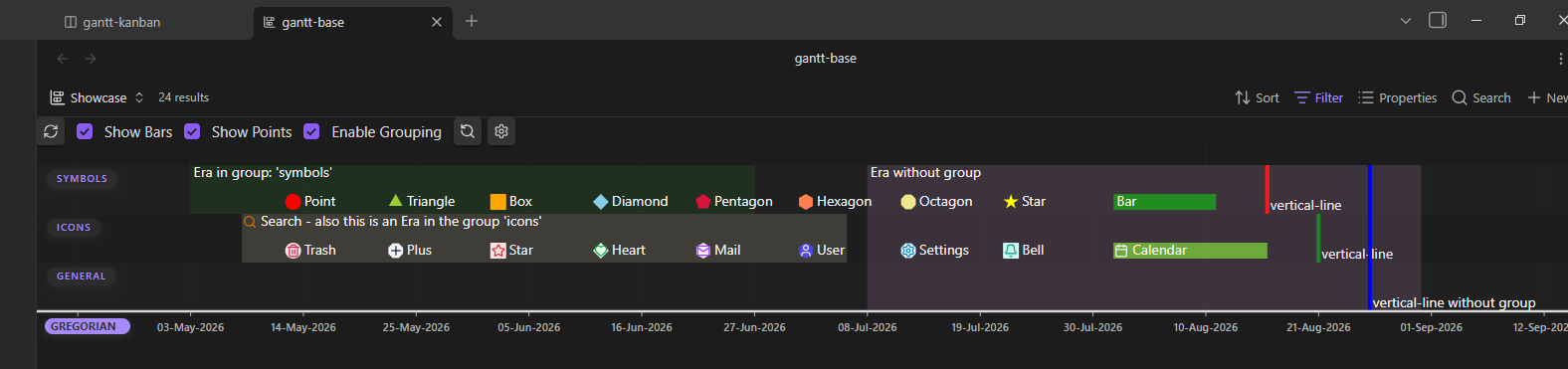
All events have a start and end point in time. Since the plugin does not support time of day (yet), all days point to a single point on an infinite timeline.
Naming
- Timestamps: Events without an end date will be called timestamp in this documentation, since they point to a single point on the timeline.
- Timespan: Events with an end date will be called timespan, since they point to a range of points on the timeline.
For this to work, the frontmatter property gantt-start, defining a start date, is the only mandatory property for any event.
Omitting gantt-end will make the event a timestamp.
Dates
Dates must match a calendar’s date format to be parsed by the plugin.
The Gregorian Calendar will be used for the following examples.
Special Dates
Right now, there is one special keyword: today. This will be interpreted as your local current day. Using it for an event will obviously show it at different timestamps each day.
You can add a fixed amount of days to it. To achieve this you can write: today + (+ or -) + (a positive integer)
Repeating Events
There’s a special page for it.
Examples
---
gantt-start: 2026-08-20
gantt-end: today+5 # This makes the event duration increase each day
---

---
gantt-start: 2026-02-30 # Event will not render on the chart since February never has 30 days
---

---
gantt-start: today # This adds a marker to your calendar always showing the current date
gantt-symbol: vertical-line
---
Property traits
- Both properties are of type
text.- The
gantt-startproperty is mandatory,gantt-endis optional.- You can rename them to your liking, see Plugin Settings > Event Frontmatter Properties.