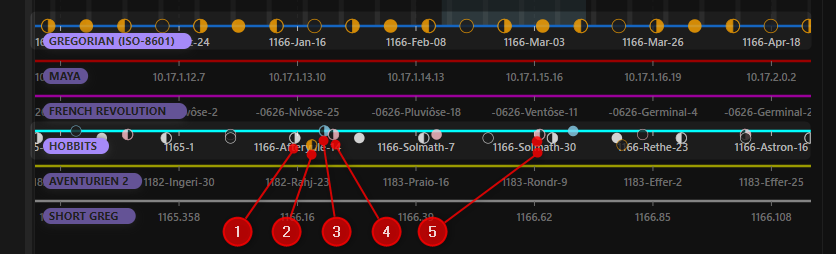
The moons property inside a Calendar Configuration defines celestial bodies orbiting your world. You can configure multiple moons per calendar, each with its own cycle length, phase alignment offset, and custom rendering color.
Moons get rendered at 4 different phases:
- New Moon
- Crescent Half Moon
- Full Moon
- Waning Half Moon
These appear on top of their respective calendar’s axis. The more you zoom out, the more moons disappear in favor of performance and clarity.
Configuration
The moons property contains a list of moons. Each moon has the properties offset, cycle and color.
| Property | Type | Default | Short Description |
|---|---|---|---|
cycle | number (required) | n/a | Days between two consecutive full moons. |
offset | number (required) | n/a | Shift in days relative to calendar’s Day 0. |
color | string (optional) | currentColor | Hex color or CSS color name. |
The cycle determines the period of the synodic month. The offset aligns the phase sequence to your timeline: an offset of 0 means a full moon occurs precisely on Day 0.
Example
Below is the moon part of a Calendar Configuration example featuring a primary moon, a smaller, faster secondary moon, and a legendary blood-red moon:
moons:
  - cycle: 28.3 # Primary Silver Moon (default notation)
    offset: 10
    color: '#ffd700'
  - cycle: 12.72 # Secondary Moon (without color)
    offset: 2.5
  - {cycle: 3000, offset: 2123, color: crimson} # Crimson moon (in short notation)